
T
Originally published by Techish Kenyatech
March 17, 2026
1d ago
Hisense is testing unskippable ads on its TVs: Here’s how to block them
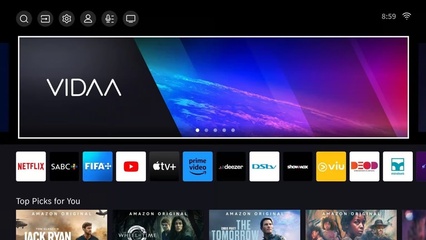
Hisense is testing unskippable ads when you turn on your TV or switch inputs, but you can block them completely using a simple network settings trick...
✨ Key Highlights
Hisense has begun testing unskippable, full-screen advertisements on its smart TVs, appearing upon startup or input changes. This aggressive ad rollout has generated significant consumer backlash.
- The primary solution involves changing Hisense TV's DNS settings to AdGuard's public DNS servers (Primary: 94.140.14.14, Secondary: 94.140.15.15) to block ad traffic.
- Users are also advised to clear the TV's cache and reset its advertising ID to remove already downloaded ads.
- Alternative methods include contacting Hisense Support directly or disconnecting the TV from the internet to revert it to a "dumb" display.
Continue Reading
Read the complete article from Techish Kenya
Advertisement
Advertisement